Website redesign checklist for 2027, with SEO and AEO steps
Goals, content, design, accessibility, SEO migration, AEO, launch day and the first 90 days: everything to check, in order.

A good website redesign follows six stages: set goals and a benchmark, inventory content and URLs, plan the structure and answer-first content, design and build for mobile, speed and accessibility, prepare the SEO and AEO details, then launch with a checklist and track the first 90 days. The list below covers each stage step by step.
- Start with goals and a benchmark, or you cannot prove the redesign worked.
- Inventory every URL before design work, so no ranking page gets lost.
- Write answer-first content for buyers and AI assistants, not for internal teams.
- Build to clear targets: Core Web Vitals, WCAG accessibility, tested forms.
- Launch day and the first 90 days decide whether rankings and leads carry over.
What should a website redesign checklist include?
Six stages, in this order: goals, inventory, structure and content, design and build, SEO and AEO, then launch and follow-up. Skipping the early stages is what causes the late surprises: lost rankings, missing content and a launch date that slips.
Stage 1: Goals and benchmark
- Write down 2–3 goals in numbers, for example more qualified inquiries per month or more demo requests.
- Record today's numbers: visits, inquiries, conversion rate, top landing pages and search clicks.
- Run your homepage and key pages through Google's PageSpeed Insights and save the results.
- Ask AI assistants what your company does and who they recommend for your service; save the answers.
- Agree who approves the design and content: one person, with a deadline for feedback.
Stage 2: Content and URL inventory
- Export every page with search clicks or impressions from Google Search Console (last 12 months).
- Export top pages from analytics and crawl the current site for every live URL.
- Mark pages to keep, merge, rewrite or remove.
- Identify the top pages for search traffic and leads; they keep their core content.
- Collect logins: domain, hosting, CMS, Google Search Console, analytics, Google Business Profile.
- Gather brand files: logo, colors, fonts, photos you have rights to use.
Stage 3: Structure and content
- Plan the sitemap around what buyers look for: services, industries, case studies, about, contact.
- List the questions buyers ask your sales team, and decide which page answers each one.
- Write answer-first: the first one or two sentences of each key page answer its main question.
- Use question-style headings where they fit, and add an FAQ to key pages.
- Add proof on every service page: case studies with specific results, client names you can share.
- Write a clear next step for every page: call, quote, audit or contact form.
Stage 4: Design and build
- Design mobile-first, then desktop.
- Set speed targets from Google's Core Web Vitals: LCP 2.5 s or less, INP 200 ms or less, CLS 0.1 or less.
- Build to WCAG 2.2 level AA: contrast, alt text, keyboard navigation, labeled forms, visible focus. For context, 95.9% of the top million homepages have detectable accessibility errors.
- Make sure key content loads as text in the page, not only after scripts run or inside images.
- Choose an editor your team can use without a developer.
- Test every form end to end, including the email that arrives.
- Set up analytics and conversion tracking, including referrals from AI assistants.
Stage 5: SEO and AEO details
- Build the redirect map: every old URL to its closest new page with a 301 redirect, following Google's site move guidance.
- Write a unique page title (about 60 characters) and meta description (about 155) for every page.
- One H1 per page; headings in a logical order.
- Add structured data: organization, breadcrumbs, articles and FAQs where they apply.
- Generate an XML sitemap and check canonical tags.
- Review robots.txt: allow the search crawlers you want, including AI assistants such as OpenAI's OAI-SearchBot, PerplexityBot and ClaudeBot.
- Keep your business details identical on the site, Google Business Profile, LinkedIn and directories.
- Show authors and "Updated" dates on articles and guides.
Get a free website audit: speed, SEO, AEO and mobile, with the fixes that matter most.
Stage 6: Launch day
- Remove "noindex" and password protection from the new site.
- Switch the domain and check the site loads over HTTPS everywhere.
- Test a sample of redirects, including your top 20 pages.
- Submit the XML sitemap in Google Search Console and Bing Webmaster Tools.
- Send a test inquiry through every form.
- Check the site on a real phone, on mobile data.
After launch: the first 90 days
- Week 1: check Search Console for 404 errors and fix missing redirects.
- Weeks 2–8: compare clicks, rankings and inquiries with your benchmark weekly.
- Day 30: run PageSpeed Insights again and fix anything that slipped.
- Day 60: repeat your AI assistant checks and note what changed.
- Day 90: review goals, update the content that underperforms and plan the next articles.
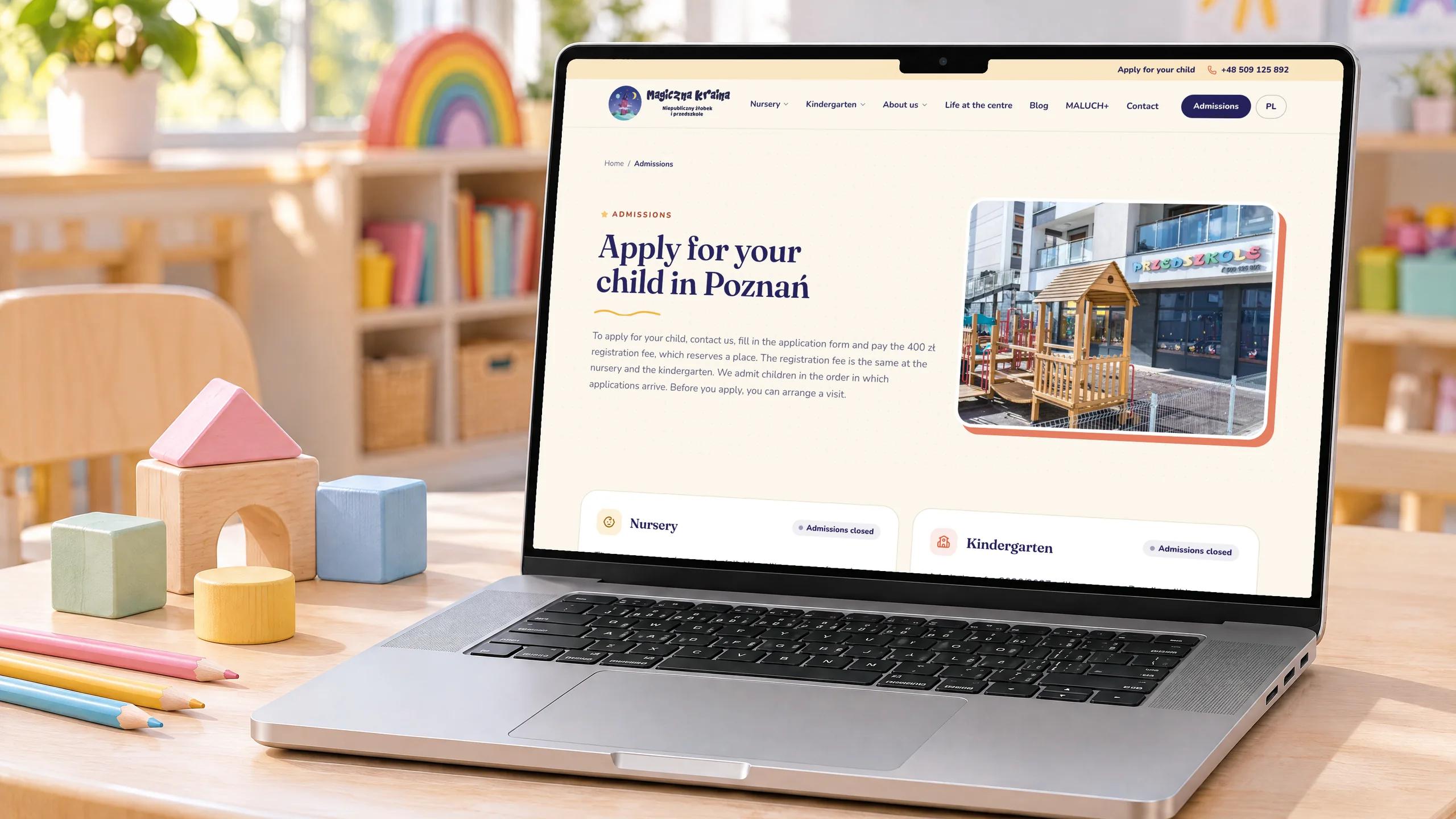 Case study · EducationMagiczna Kraina – website redesign for a nursery and kindergarten100 PageSpeed score on mobile and desktop3 weeks From the first plan to launch0 WCAG A/AA accessibility violations on 12 key pagesRead the case study
How long does this checklist take?
For most business websites, stages 1 to 6 fit into 3–4 weeks, with the SEO work running alongside design and build. The details of stage 5 are in how to redesign without losing your Google rankings, and the thinking behind the AEO steps in what AEO is.
Questions people ask
What should I prepare before a website redesign?
Your goals and current numbers, logins for domain, hosting and analytics, brand files, the content you want to keep, and one person who will approve the design.
How long does a website redesign take?
Most business websites take 3–4 weeks from kickoff to launch. Larger sites with many integrations or stakeholders take longer.
What are good speed targets for a new website?
Google's Core Web Vitals: Largest Contentful Paint of 2.5 seconds or less, Interaction to Next Paint of 200 milliseconds or less, and Cumulative Layout Shift of 0.1 or less.
Which accessibility standard should a redesign follow?
WCAG 2.2 at level AA is the current benchmark. It covers contrast, text alternatives for images, keyboard use, forms and more.
Sources
For 10 years Vlad has led the design and build of websites, apps and internal tools for companies across industries. He writes about what keeps software projects on time and how businesses get found in search and AI answers.
More about us